
CLS
Artificial Intelligence (AI)

MS-4018-A: Draft, analyze, and present with Microsoft Copilot

Draft, analyze, and present with Microsoft Copilot teaches learners how to use Copilot and agents to complete real-world workflows across Microsoft 365 apps.

Total Duration
8 Hours
Level
Beginner
Category
Artificial Intelligence (AI)
Partner
Microsoft
About this course

About this course

Draft, analyze, and present with Microsoft Copilot is designed for business users with a foundational knowledge of Microsoft 365 who want to use Copilot to work more efficiently across familiar tools such as Word, Excel, PowerPoint, Outlook, and Teams

The course highlights how Copilot supports key business outcomes, including drafting content, analyzing data, preparing for meetings, and managing communication. Learners also see how Copilot Chat, in‑app experiences, and agents work together to combine organizational context and user intent across everyday work.
Target Audience

Managers and Team Leaders who want to enhance decision-making, communication, and meeting outcomes using AI.
Microsoft 365 Users who want to integrate Copilot into Word, Excel, PowerPoint, Teams, and Outlook.
Data Professionals who want to use AI for data analysis, visualization, and generating actionable insights.
Sales and Marketing Professionals who want to create presentations, documents, emails, and business content faster.
HR and Administrative Professionals who want to streamline communication, meetings, documentation, and routine workflows.

Prerequisites

Students should have basic functional experience with Microsoft 365 services.

Course Outline

  • Introduction
  • Explore how Copilot works across your Microsoft 365 apps
  • Learn about data security in Copilot
  • Write prompts that get results
  • Introduction
  • Understand Microsoft Copilot Chat
  • Use your work data to get better results with Copilot Chat
  • Use Copilot Chat to gather external information
  • Exercise (optional) - Ace your interview using Copilot Chat
  • Introduction to Copilot in Microsoft PowerPoint
  • Turn ideas into presentations with Copilot in PowerPoint
  • Refine and enhance your presentation
  • Create speaker notes
  • Introduction
  • Craft content with Copilot in Microsoft Word
  • Elevate your content using Copilot in Word
  • Introduction
  • Prepare and collaborate with Copilot in Teams
  • Run structured meetings and drive outcomes with Copilot
  • Introduction
  • Analyze data with context and precision
  • Advanced analysis, visualization, and the Analyst agent
  • Introduction
  • Draft engaging emails using Copilot in Microsoft Outlook
  • Simplify meeting administration using Copilot in Outlook
Learning outcomes

What you'll learn

Create effective prompts and use Copilot Chat to generate accurate, context-aware results.
Draft, edit, and refine professional documents using Copilot in Microsoft Word.
Analyze, visualize, and gain insights from data using Copilot in Microsoft Excel.
Improve meeting preparation, collaboration, and communication using Copilot in Microsoft Teams and Outlook.
Build and enhance presentations with Copilot in Microsoft PowerPoint, including content creation and speaker notes.

Skills you'll learn

11 skills
Microsoft 365 Copilot
AI Prompting
Copilot Chat
AI Creativity
Presentation Creation
Analyst Agent
Email Drafting
Meeting Administration
Workflow Optimization
AI-Assisted Writing

Certificate

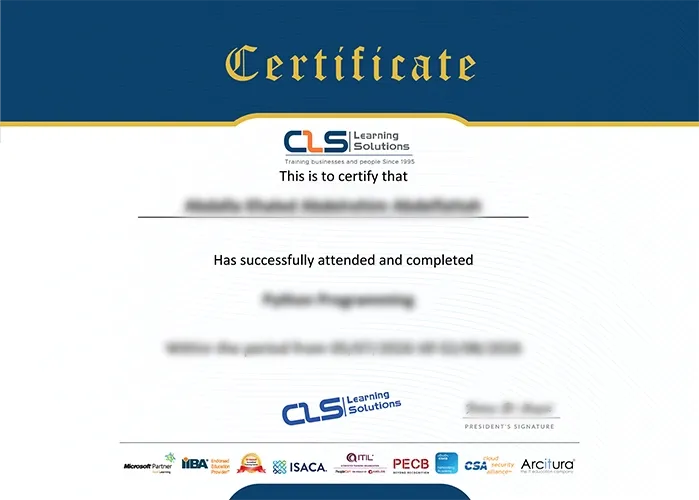
  • Attendance Certificate from CLS Learning Solutions
  • This course enables you to pass MS-4018-A: Draft, analyze, and present with Microsoft Copilot Exam
MS-4018-A: Draft, analyze, and present with Microsoft Copilot

Potential Career Paths

Business Productivity Specialist
Microsoft 365 Specialist
AI Productivity Specialist
Microsoft 365 Administrator
Business Intelligence Analyst
AI Business Consultant