
CLS
Business Management

PL-900T00-A: Introduction to Microsoft Power Platform

PL-900T00-A: Introduction to Microsoft Power Platform ,Learn the business value and product capabilities of Microsoft Power Platform.

Total Duration
8 Hours
Level
Beginner
Category
Business Management
Partner
Microsoft
About this course

About this course

This course helps learners understand how Microsoft Power Platform technologies can be used to develop tailored business solutions. It covers how to optimize the use of data by using Microsoft Dataverse and connectors and accelerate business outcomes by using Microsoft Power Apps.

Learn Connect data with Dataverse, build simple canvas and model-driven apps, automate a process with Power Automate, and build a Power Pages site.
Target Audience

IT professionals who are interested in learning about low code/no code applications in businesses.
Business analysts who wish to develop applications that improve the workflows and data management.
Microsoft Power platform users who wish to learn about the Microsoft power platform capabilities.
Reporting professionals who want to create business applications with power BI and power platform.

Prerequisites

There are no formal prerequisites

Course Outline

  • Describe the value of Microsoft Power Apps to build applications.
  • Describe the value of Microsoft Power Automate to automate processes.
  • Describe the value of Microsoft Power Pages to build websites.
  • Describe the value of Microsoft Dataverse to organize business data.
  • Describe the value of Copilot Studio to create agents.
  • Describe the value of copilots and generative AI features in Microsoft Power Platform.
  • Describe the value of connectors to integrate services and data for apps and flows.
  • Describe the value of Plan Designer.
  • Describe differences between traditional databases and Dataverse
  • Describe tables, columns, and relationships in Dataverse
  • Describe the options for business logic in Dataverse
  • Describe table forms and views
  • Create and edit tables, columns, and relationships through conversations
  • Describe Power Fx
  • Describe Power Platform environments and the role they play in organizing and governing resources.
  • Describe the Microsoft Power Platform security model.
  • Describe how Microsoft Power Platform supports data privacy and accessibility guidelines.
  • Describe the monitoring and analytics capabilities of the Microsoft Power Platform.
  • Describe application lifecycle management with Power Platform Pipelines.
  • Describe use cases and capabilities of canvas apps
  • Describe use cases and capabilities of model-driven apps
  • Describe use cases of code apps
  • Create a canvas app through conversations
  • Create a model-driven app through conversations
  • Describe use cases for cloud flows and desktop flows.
  • Describe Power Automate use cases for approvals, Microsoft Teams, Outlook, SharePoint, Forms, and document automation.
  • Describe triggers for cloud flows.
  • Describe actions for cloud flows.
  • Create and modify cloud flows through conversations with Copilot.
  • Create and modify desktop flows with Copilot.
  • Describe how to build cloud flows using the designer
  • Describe use cases for agents
  • Describe how Copilot Studio uses and processes data
  • Describe how knowledge, tools, and MCP servers extend agent capabilities
  • Describe how to monitor Copilot Studio agent usage and adoption
  • Describe agent flows
  • Describe the agent development process and build an agent
Learning outcomes

What you'll learn

Describe the value of Microsoft Power Automate
Identify the core components of the Power Platform
Describe differences between traditional databases and Dataverse
Explain the role of Microsoft Dataverse
Describe use cases for cloud and desktop flows
Describe how Copilot Studio uses and processes data
Understand basic Power Platform administration, security, and governance concepts

Skills you'll learn

14 skills
Power Platform Fundamentals
Power Apps Development
Code Apps Fundamentals
Desktop Flows
Business Process Automation
Workflow Management
Microsoft 365 Integration
Microsoft Dataverse
Data Modeling &
Power Fx Fundamentals

Certificate

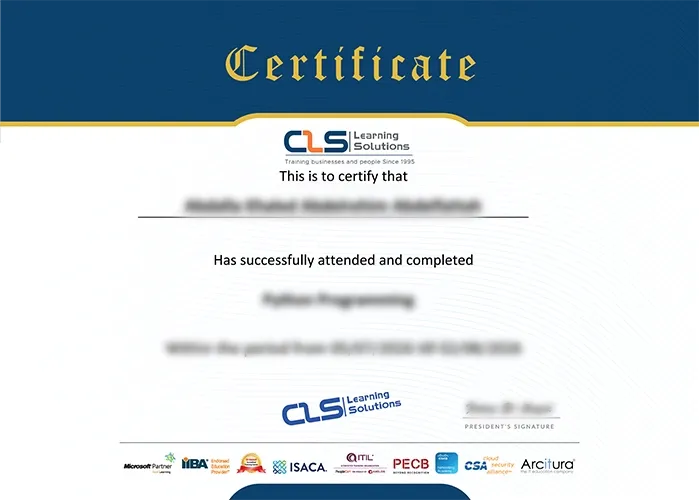
  • Attendance Certificate from CLS Learning Solutions
  • This course enables you to pass PL-900T00-A: Introduction to Microsoft Power Platform Exam


PL-900T00-A: Introduction to Microsoft Power Platform

Potential Career Paths

Power Apps Developer
Power Platform Specialist
Power Automate Developer
Copilot Studio Developer
AI Agent Developer