
CLS
IT System and Networks

AZ-040T00-A: Automate Administration with PowerShell

Automating Administration with PowerShell course provides students with the fundamental knowledge and skills to use PowerShell for administering and automating administration of Windows servers.

Total Duration
40 Hours
Level
Intermediate
Category
IT System and Networks
Partner
Microsoft
About this course

About this course

This course provides students the skills to identify and build the command they require to perform a specific task. In addition, students learn how to build scripts to accomplish advanced tasks such as automating repetitive tasks and generating reports. This course provides prerequisite skills supporting a broad range of Microsoft products, including Windows Server, Windows Client, Microsoft Azure, and Microsoft 365. In keeping with that goal, this course will not focus on any one of those products, although Windows Server, which is the common platform for all of those products, will serve as the example for the techniques this course teaches.
Target Audience

IT Support Professionals who want to make their processes more efficient with PowerShell
IT Professionals who administer and manage Windows environment
System Administrators wanting to automate their administrative tasks through PowerShell
Network Administrators working with Windows-based environments
Professionals preparing for Microsoft PowerShell and Windows administration certifications

Prerequisites

Experience with Windows networking technologies and implementation.
Experience with Windows Server administration, maintenance, and troubleshooting.

Course Outline

  • Review Windows PowerShell
  • Understand the command syntax in Windows PowerShell
  • Find commands and Get-Help in Windows PowerShell
  • Manage Active Directory Domain Services using PowerShell cmdlets
  • Manage network service settings for Windows devices using PowerShell cmdlets
  • Manage Windows Server settings using PowerShell cmdlets
  • Manage settings for a local Windows machine using PowerShell cmdlets
  • Understand the Windows PowerShell pipeline
  • Select, sort, and measure objects using the pipeline
  • Filter objects out of the pipeline
  • Enumerate objects in the pipeline
  • Send and pass data as output from the pipeline
  • Pass pipeline objects
  • Connect with data stores using PowerShell providers
  • Use PowerShell drives in PowerShell
  • Review CIM and WMI
  • Query configuration information by using CIM and WMI
  • Query and manipulate repository objects by using CIM and WMI methods
  • Manage variables in Windows PowerShell scripts
  • Work with arrays and hash tables in Windows PowerShell scripts
  • Create and run scripts by using Windows PowerShell
  • Work with scripting constructs in Windows PowerShell
  • Import data in different formats for use in scripts by using Windows PowerShell cmdlets
  • Use methods to accept user inputs in Windows PowerShell scripts
  • Troubleshoot scripts and handle errors in Windows PowerShell
  • Use functions and modules in Windows PowerShell scripts
  • Manage single and multiple computers by using Windows PowerShell remoting
  • Use advanced Windows PowerShell remoting techniques
  • Manage persistent connections to remote computers by using Windows PowerShell sessions
  • Review Azure PowerShell module
  • Review the features and tools for Azure Cloud Shell
  • Manage Azure resources with Windows PowerShell
  • Manage users, groups, and licenses in Microsoft Entra ID by using Windows PowerShell
  • Manage Exchange Online by using Windows PowerShell
  • Manage SharePoint Online by using Windows PowerShell
  • Manage Microsoft Teams by using Windows PowerShell
  • Create and manage background jobs using Windows PowerShell
  • Create and manage scheduled jobs using Windows PowerShell
Learning outcomes

What you'll learn

Manage groups and group memberships in PowerShell
Manage organizational units and Active Directory objects in PowerShell
Manage Windows Firewall settings in PowerShell
Use PowerShell drive cmdlets in PowerShell
Query instances by using commands and WMI Query Language
Query repository classes from remote computers by using CIM Session objects
Discover methods of repository objects by using CIM and WMI
Enable remoting by using Windows PowerShell
Use one-to-one remoting by using Windows PowerShell
Create and manage persistent PS Sessions by using Windows PowerShell
Disconnect PS Sessions by using Windows PowerShell
Migrate Azure PowerShell from Azure RM to Azure
Create a new Azure virtual machine by using Windows PowerShell commands
Manage Azure virtual machines by using Windows PowerShell commands
Manage users in Microsoft 365 by using Windows PowerShell
Manage SharePoint Online users and groups by using Windows PowerShell
Manage roles in Microsoft 365 by using Windows PowerShell
Manage teams with Microsoft Teams PowerShell module
Create and run Windows PowerShell scripts as scheduled tasks
Create job option and job trigger objects in Windows PowerShell
Create and register a scheduled job in Windows PowerShell

Skills you'll learn

12 skills
PowerShell Fundamentals
PowerShell Pipeline
PowerShell Providers
CIM & WMI Management
PowerShell Scripting
PowerShell Remoting
Remote Computer Management
PowerShell Sessions
Azure PowerShell
Azure Resource Management

Certificate

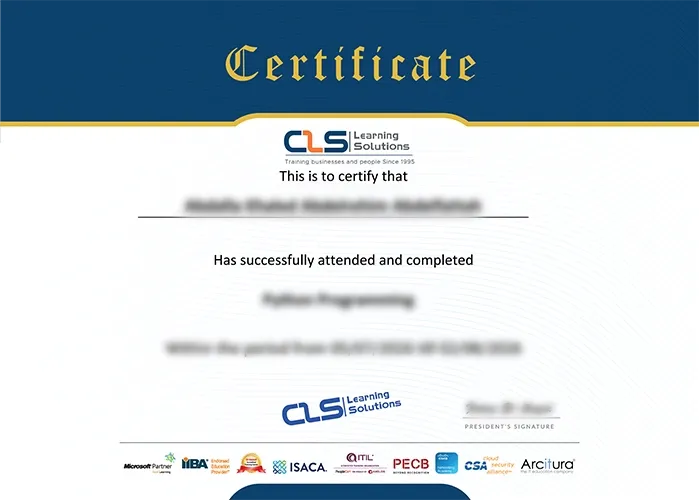
  • Attendance Certificate from CLS Learning Solutions
  • This course enables you to pass AZ-040T00-A: Automate Administration with PowerShell Exam
AZ-040T00-A: Automate Administration with PowerShell

Potential Career Paths

PowerShell Administrator
Systems Administrator
IT Support Specialist
Windows Server Administrator
IT Automation Specialist
Cloud Administrator
Microsoft 365 Administrator