CLS
Cybersecurity

Forti Analyzer & Manager workshop

In this Forti Analyzer workshop course, you will learn the fundamentals of using Forti Analyzer for centralized logging and reporting and will learn the fundamentals of using Forti Manager for centralized network administration of many FortiGate devices.

Total Duration
32 Hours
Level
Beginner / Intermediate
Category
Cybersecurity
Partner
Fortinet
About this course

About this course

You will learn how to configure and deploy Forti Analyzer, and identify threats and attack patterns through logging, analysis, and reporting.

you will explore deployment strategies, which include single or multiple ADOMs, device registration, policy packages, shared objects, installing configuration changes, provisioning FortiManager as a local FortiGuard distribution server, and troubleshooting the features that are critical to day-to-day use after you deploy Forti Manager

FortiAnalyzer and FortiManager Workshop FAQs

What will I learn in the FortiAnalyzer and FortiManager workshop?

On FortiAnalyzer you will learn initial setup, device registration, logging, FortiSoC incidents, events and playbooks, and reports. On FortiManager you will learn initial setup, administration and central management of FortiGate devices and security policies.

How long is the workshop and how is it delivered?

The workshop runs for 32 hours at beginner to intermediate level. You can join a public classroom, book a private classroom for your team, or attend a virtual classroom.

Do I need NSE4 before this workshop?

Yes. The prerequisites are knowledge of firewall concepts in IPv4 networks and the NSE 4 FortiOS Administrator course or equivalent experience.

Who should attend?

Engineers responsible for the daily management of FortiAnalyzer devices and FortiGate security logs, and anyone who manages FortiGate security policies through FortiManager.

What is the difference between FortiAnalyzer and FortiManager?

FortiAnalyzer collects and analyzes logs and builds security reports, while FortiManager configures and manages many FortiGate devices and their policies from one console.

Will I get a certificate?

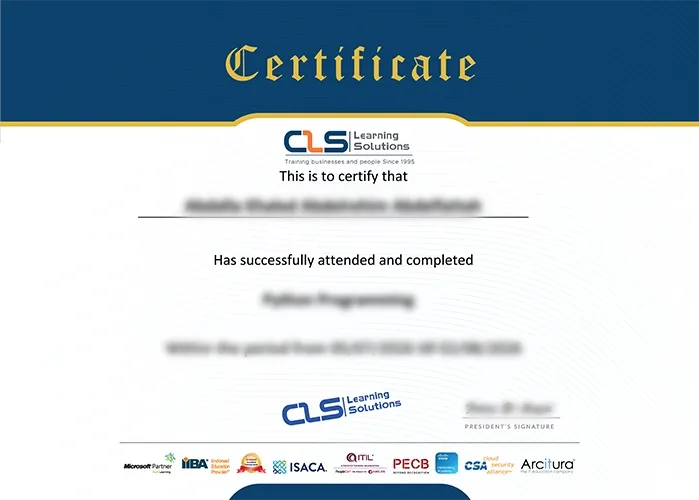
Yes. You receive an Attendance Certificate from CLS Learning Solutions when you complete the course.
Target Audience

Anyone who is responsible for the day-to-day management of Forti Analyzer devices and FortiGate security information
Anyone who is responsible for the day-to-day management of FortiGate security policies using the Forti Manager platform.

Prerequisites

Knowledge of firewall concepts in an IPv4 network
NSE 4 Fort iOS Administrator

Course Outline

  • Introduction and Initial Configuration
  • Administration and Management
  • Device Registration and Communication
  • Logging
  • FortiSoC—Incidents and Events
  • FortiSoC—Playbooks
  • Reports
  • Introduction and Initial Configuration
  • Administration and Management
  • Device Registration
  • Device-Level Configuration and Installation
  • Policy and Objects
  • SD-WAN and Security Fabric
  • Diagnostics and Troubleshooting
  • Additional Configuration
Learning outcomes

What you'll learn

Describe key features and concepts of FortiAnalyzer
Deploy an appropriate architecture
Use administrative access controls
Monitor administrative events and tasks
Configure high availability
Understand HA synchronization and load balancing
Upgrade the firmware of an HA cluster
Verify the normal operation of an HA cluster
Manage and customize event handlers
Create and manage incidents
Explore tools used for threat hunting
Create, run, and troubleshoot playbooks
Describe the key features and capabilities of FortiManager
Deploy administrative domains (ADOMs) to support multiple customers on a single FortiManager
Restrict concurrent ADOM access by using workspaces and workflow mode
Use provisioning templates for device-level changes across many devices
Identify the synchronization states and manage the revision history of managed devices
Manage firewall policies across multiple FortiGate devices using policy packages with shared and dynamic objects
Deploy policies and objects from the global ADOM to multiple ADOMs
Describe high-availability (HA), backup, and recovery options for FortiManager
Manage the firmware of supported devices centrally

Skills you'll learn

12 skills
Initial Configuration
System Administration
Device Management
Device Registration
Log Management
Report Generation
Policy Management
Object Configuration
SD-WAN Management
Security Fabric

Certificate

  • Attendance Certificate from CLS Learning Solutions 


Forti Analyzer & Manager workshop

Potential Career Paths

Fortinet Security Administrator
Forti Manager Administrator
Forti Analyzer Administrator
Network Security Engineer
Security Operations Engineer
SOC Analyst
Firewall Security Engineer