CLS
IT System and Networks

Linux Administration II

This course covers advanced administrative topics, including storage management using LVM, SE Linux management, and automated system installation.

Total Duration
40 Hours
Level
Beginner / Intermediate
Category
IT System and Networks
About this course

About this course

linux Administration II training track for IT professionals who have already attended linux Administration I. The course goes deeper into core Linux system administration skills in the installation and deployment of Red Hat Enterprise Linux, storage configuration and management, management of security features such as SELinux, control of recurring system tasks, management of the boot process and troubleshooting, basic system tuning, and command-line automation and productivity.  
Target Audience

System administrators are seeking to expand their skills in Linux system administration.

Prerequisites

Linux Administration I training

Course Outline

Write and run simple shell scripts, and use shell scripting features to efficiently run commands at the shell prompt.
Efficiently complete system administration tasks by using regular expressions to match text.
Schedule programs to run in the future, either at a specific time and date or on a recurring basis, as a regular user
Locate and interpret system logs for troubleshooting purposes, and ensure accurate timestamps for log events.
Protect systems and manage security by using SE Linux.
Create compressed archives of files so that they can be backed up and transferred to other systems.
Securely transfer files from one system to another.
Improve system performance by setting a tuning profile and by adjusting the scheduling priority of specific processes.
Manage storage devices by creating partitions, file systems, and swap spaces from the command line.
Use Logical Volume Manager (LVM) to manage logical volumes that can contain file systems and swap spaces.
Manage how the system boots to control which services start and to troubleshoot and repair boot-time problems.
Gain administrative access to a system when the superuser password is unknown or is locked.
Control network connections to services by using the system firewall, and network services that can bind to particular ports by using SE Linux.
Access network-attached storage that is provided by using the Network File System (NFS) protocol, either manually or by using the automounter.
Install Red Hat Enterprise Linux in package mode, either interactively or by using Kickstart.
Manage containers and container images with the latest version of container management tools.
Create, use, install, and upgrade containers and servers that use image-based installation management.
Practice skills that you learned in Red Hat System Administration II.
Learning outcomes

What you'll learn

This training provides a solid foundation in Linux system administration, with improved ability to manage your infrastructure efficiently.
This course helps system administrators to provide better system reliability, improve efficient system and storage utilization, and respond faster and more accurately to system failures.
should be able to perform the key tasks of a full-time Linux administrator.
Students are introduced to more advanced administrative topics, such as storage management with LVM, SE Linux management, and automated installation.

Skills you'll learn

8 skills
Install Red Hat Enterprise
Linux with scalable methods
Access security files
file systems
Execute shell scripting
Manage storage devices
System access
Control the boot process

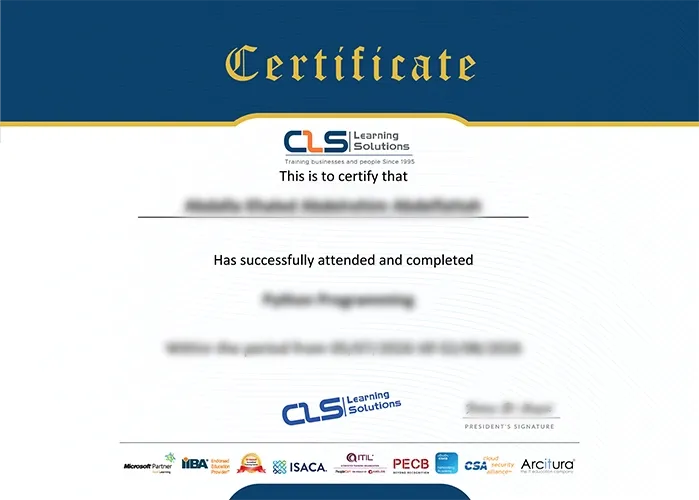
Certificate

  • Attendance Certificate from CLS Learning Solutions 
Linux Administration II

Potential Career Paths

System administrators
IT professionals
Platform engineers
Developers