
CLS
IT System and Networks

Linux Administration III

Linux Administration III teaches how to automate system administration tasks using Ansible.

Total Duration
40 Hours
Level
Intermediate
Category
IT System and Networks
About this course

About this course

Linux Administration III is designed for Linux system administrators and developers who need to automate provisioning, configuration, application deployment, and orchestration using Red Hat Ansible Automation Platform.

Linux Administration III FAQs

What will I learn in Linux Administration III?

You will learn Red Hat Ansible Automation Platform: building inventories, writing and running playbooks, and automating provisioning, configuration, application deployment and routine administration tasks.

Is Linux Administration III an Ansible course?

Yes. The course focuses on automating Linux system administration with Ansible.

How long is the course and how is it delivered?

The course runs for 40 hours at intermediate level. You can join a public classroom, book a private classroom for your team, or attend a virtual classroom.

What are the prerequisites?

You should complete Linux Administration II or have equivalent Linux administration skills.

Who should take this course?

Linux system administrators, DevOps engineers and infrastructure automation engineers who want repeatable deployment and configuration workflows.

Will I get a certificate?

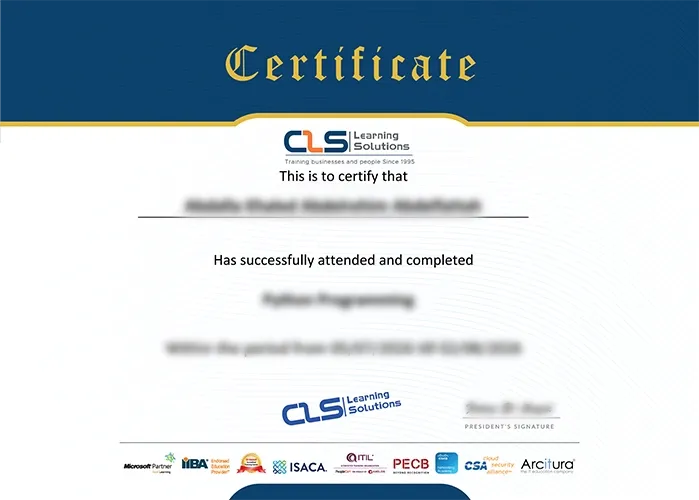
Yes. You receive an Attendance Certificate from CLS Learning Solutions when you complete the course.
Target Audience

Linux system administrators seeking to automate system administration and configuration management tasks.
DevOps engineers and infrastructure automation engineers working with repeatable deployment and provisioning workflows.
Systems design engineers and technical professionals responsible for development, testing, and production server deployment.

Prerequisites

Linux Administration II Training

Course Outline

Describe the fundamental concepts of Red Hat Ansible Automation Platform, how it is used, and install the platform.
Create an inventory of managed hosts, write a simple Ansible playbook, and run it to automate tasks on those hosts.
Use variables to simplify playbook management and facts to reference information about managed hosts.
Manage task control, handlers, and task errors in Ansible playbooks.
Deploy and manage files on managed hosts through Ansible automation.
Write playbooks for larger and more complex automation scenarios.
Use Ansible roles to develop playbooks more quickly and reuse Ansible code.
Troubleshoot playbooks and managed hosts.
Automate common Linux system administration tasks with Ansible.
Learning outcomes

What you'll learn

Understand core components of Ansible
Know how to run playbooks with ansible-navigator and ansible-playbook
Use roles and Ansible Content Collection
Create and use templates to create customized configuration files
Use Ansible Vault in playbooks to protect sensitive data

Skills you'll learn

10 skills
Ansible Automation
Playbook Development
Inventory Management
Variables & Facts
Task Control
File Deployment
Ansible Roles
Ansible Vault
Troubleshooting
Linux Automation

Certificate

  • Attendance Certificate from CLS Learning Solutions 


Linux Administration III

Potential Career Paths

Linux system administrators
IT professionals
DevOps engineers
Site Reliability Engineers
Developers